Meal planning for your whole household
Plan meals, import recipes, generate grocery lists, and keep everyone in sync — from the partner who cooks to the kid who just wants tacos.
Free forever. No credit card required.
New: a notebook for every recipe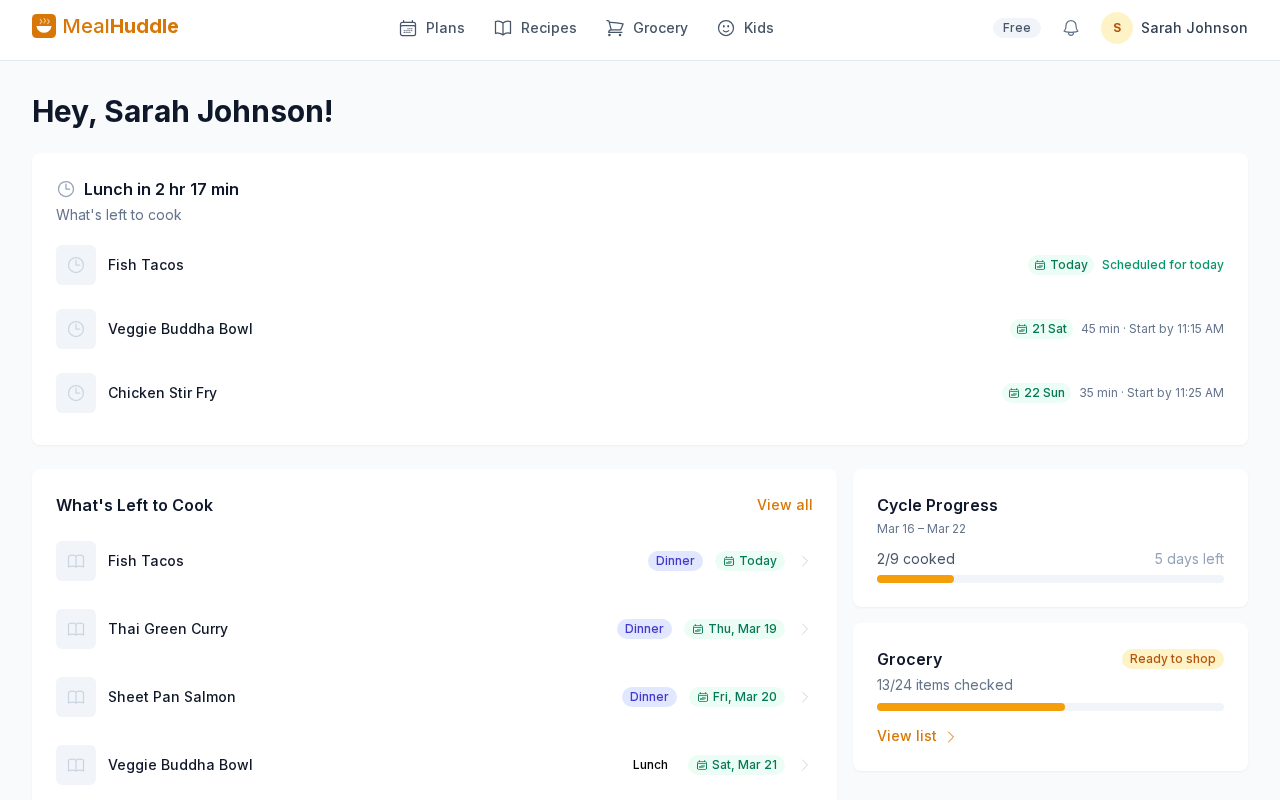
The easiest way to import a list
Still writing meals and groceries on the whiteboard? Take a picture. MealHuddle reads it, sorts meals from groceries, and puts each where it belongs, after you check every line.
- Whiteboard, notepad, sticky note, or a screenshot of a text
- Day labels like “Tue” land on the right day of the plan
- Crossed-out lines are skipped; recipes and pantry items are matched
Part of MealHuddle Pro. 14-day free trial, no credit card.
A kitchen whiteboard listing Monday tacos, Tuesday chicken stir fry, two gallons of milk, eggs, and a crossed-out paper towels line, becoming two meals on the plan and two items on the grocery list.
Other meal planning apps weren't built for families
Built for one person
Most apps assume one person plans, shops, and cooks. Couples share logins. Families text recipe links back and forth. In real life, the whole household is involved.
Stuck on one device
Shared spreadsheets and sticky notes don’t sync. Someone always misses the plan.
Paywalled from day one
Free tiers so limited you can’t even try the app before paying.
Sound familiar?
Real frustrations from people who tried other meal planning apps. Every one of these is solved in MealHuddle.
“My wife and I share one login because there’s no way to have a shared recipe book.”
Everyone gets their own account with a shared recipe library.
“I want my partner to be able to add meals to the plan without calling me.”
Every household member can add, edit, and rearrange meals in real time.
“It’s 2026 and a meal planning app doesn’t support families?”
Built for households from day one — not bolted on later.
“We each have our own account and have to manually share every recipe.”
One household, one recipe book. Add a recipe once and everyone sees it.
Everything your household needs — free
No catch. These features are free for every household, forever.
Visual weekly calendar
See your meal plan on a weekly calendar. Drag meals to reschedule, plan by the week or month.
Unlimited recipes
Store every recipe with ingredients, steps, and photos. Search by ingredient, filter by cook time, sort by rating, and save favorites. Scale to any serving size.
Import from anywhere
Snap a photo of a cookbook page, paste a URL, or upload a PDF. Your recipe is ready in seconds.
Recipe collections
Organize recipes into collections like "Weeknight Dinners" or "Holiday Favorites." Shared with your whole household.
Auto grocery lists
One tap generates your list, organized by store department. Start fresh anytime, delete old lists, and finish shopping even with unchecked items.
Barcode scanner
Scan barcodes to add grocery items instantly. No typing, no searching.
Real-time sync
Every change updates instantly for everyone. Check off items while you shop together.
Unlimited members
Invite your partner, roommates, or the whole family. Everyone picks avatars and rates meals — no per-seat charges.
Little Chefs
Kids pick avatars, rate meals, and request recipes — all on a kid-friendly screen. Short Order turns dinner into restaurant night: you set the menu, the household orders. Kiosk Mode and QR code sign-in make shared tablets easy.
Voice control
Add groceries or meals with your voice through Home Assistant.
220+ pantry items
Pre-loaded pantry with dietary tags. Filter recipes by Gluten-Free, Vegan, Keto, and more.
Meal plan templates
Save your best weekly plans and reapply them with one tap. Plan once, reuse forever.
Switch from any app
Import from Paprika, Mealie, and Plan to Eat. Export your data anytime — no lock-in.
One-click recipe saving
Install the Chrome extension and save recipes from any website with one click — no copying URLs or leaving the page.
Share & print recipes
Send a link to anyone — no account needed. Print a clean, kitchen-friendly version.
Recipe database
Browse thousands of recipes right inside the app. Find something new without leaving MealHuddle.
Feedback Hub
Report bugs, vote on feature ideas, and see what other families are asking for.
Smart tools that save you hours
AI-powered features for households that want to move faster. Import recipes from anywhere, get step-by-step cooking help, and track what you spend.
Take a picture of your list
Whiteboard, notepad, or sticky note: photograph any list and meals go onto your plan and groceries onto your list, after you check every line.
Chef Mode
Step-by-step cooking guidance with live sessions and progress the whole household can see.
Hands-free voice cooking
Ask questions while you cook and hear the answers read aloud.
Surprise Me
Personalized meal suggestions based on what your family loves and what you have cooked lately.
Recipe and meal generator
Describe a dish, a whole meal, or just a name and get complete recipes with ingredients and steps.
Receipt scanning
Photograph your grocery receipt to track real prices, with smart product identification when a barcode will not read.
Cook method adapter
Convert any recipe to a different cooking method: grill to air fryer, oven to slow cooker.
Smart autofill
Detect difficulty, cuisine and meal type, estimate prep and cook times, and fill in item categories and departments.
Recipe cost estimates
See what a recipe costs to make and per serving, even before you have scanned a receipt.
Recipe photos
Generate a photo for any recipe or pantry item that does not have one.
Change summaries
A plain-English note of what changed each time you edit a recipe.
Recipe Health Check
Scan your library and bulk-fill missing details like cook times, difficulty and cuisine.
Recipe notebook assistant
Talk a recipe through with photos; it records what you changed and how it tasted, suggests only when you ask, and keeps every version.
Up and running in three steps
Your plan walks you through the first three steps — a recipe, a week, a list — at your own pace.
Create your household
Sign up free and invite your family with a link, QR code, or email.
Add recipes and plan meals
Import from photos, URLs, or PDFs — or add by hand. Drop them into your weekly plan.
Generate your grocery list
One tap and your list is ready, sorted by department. Shop together in real time.
Why MealHuddle?
We built MealHuddle because no other app did all of this.
Multiple members
No sharing, shared logins, or per-seat pricing
Free, unlimited members
Real-time sync
Manual refresh or none
Instant, live updates
Kid-friendly mode
None
Little Chefs with kiosk mode and Short Order restaurant nights
Grocery lists
Basic or manual
Auto-generated by department
Recipe import
URL only, or none
Photo, PDF, URL + Paprika, Mealie, Plan to Eat
Handwritten lists
Type it in
Take a picture — meals to the plan, groceries to the list
Browser extension
None or bookmarklet
One-click save from any recipe website
Recipe collections
Categories only or none
Named collections shared with household
Voice control
None
Home Assistant integration
Recipe sharing
None or email only
Free shareable links, no account needed
Barcode scanner
None or paid add-on
Free — scan items straight to your list
Free tier
Limited trial
Generous forever-free plan
Start free. Upgrade when you're ready.
One subscription covers your whole household — every member gets access.
Free
$0 / forever
- Unlimited recipes and household members
- Weekly calendar with drag-and-drop meal planning
- Auto grocery lists with real-time sync
- Little Chefs, voice control, and more
Pro
$3.99 / mo
$47.88 billed annually, or $4.99/mo
- Everything in Free, plus:
- Take a picture of your list
- Chef Mode
- Hands-free voice cooking
- And 10 more, from receipt scanning to recipe photos
No credit card required
Start planning meals as a household
Free for your whole family. Set up your household in under a minute.