New in MealHuddle
Short Order: restaurant night at home
No plan tonight but a full fridge? Name your restaurant, write a menu from what you can make, set it live, and everyone in the household orders course by course. The kitchen gets the tickets.
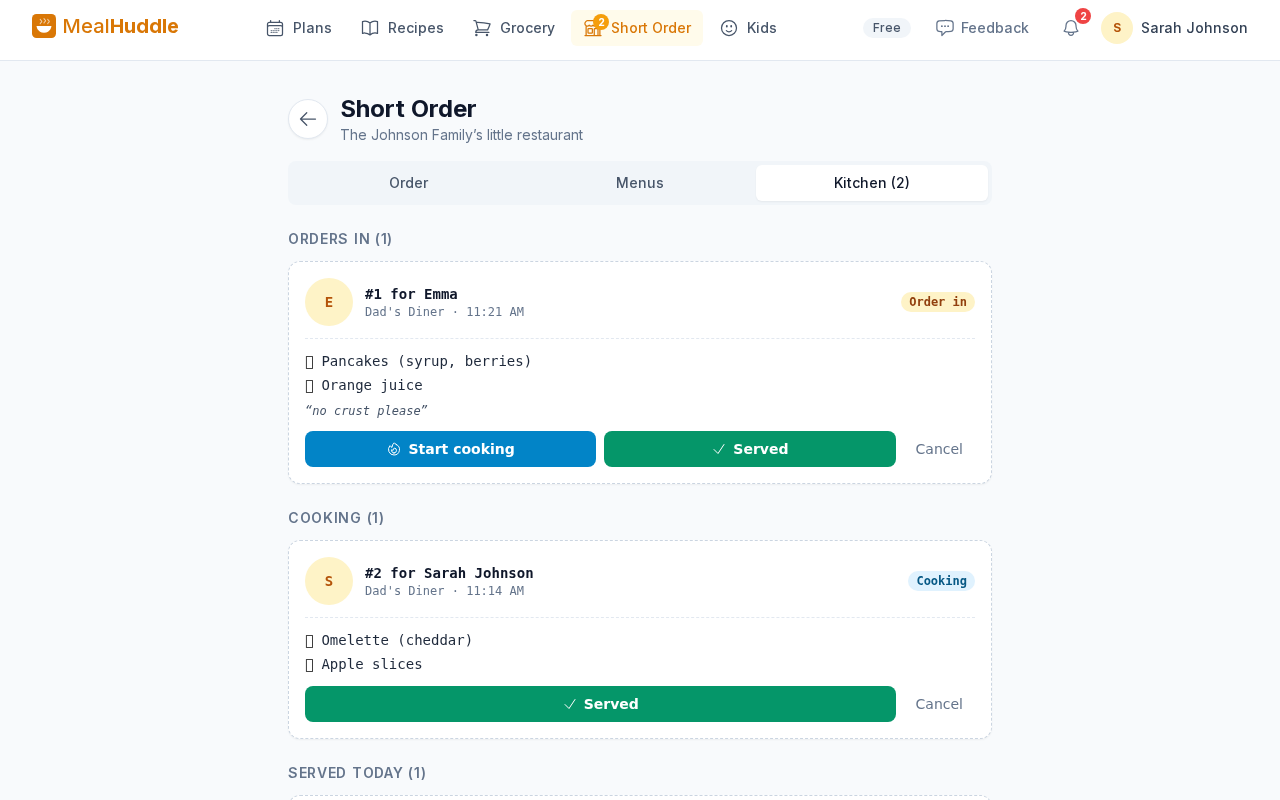
Where to find it
Short Order in the navigation, once it is switched on in Settings
How it works
- 1
Name the place and write the menu
Give your restaurant a name, then list what you can make tonight. Each dish gets a course and an emoji, filled in for you if you leave them blank.
- 2
Set it live
Everyone in the household, kids from the Kids screen too, sees the menu and orders from their own screen.
- 3
Cook from the tickets
Orders land in your Kitchen as tickets, one per person, with what they chose. Serve, and everyone rates each dish once.
- 4
See what the house loves
Regulars shows the dishes your household keeps ordering, so next time the menu writes itself.
Good to know
- Switch Short Order on under Settings → Household, and it gets its own item in the navigation.
- Print the menu, an activity placemat, an order pad and chef badges for the table.
- Short Order is free for every household.
Questions
- Do the kids need accounts?
- No. Kids order from the Kids screen on a shared device, the same place they rate meals.
- Does it touch my meal plan or grocery list?
- No. Short Order is for tonight, from what you already have. Nothing is added to the plan or the list.
- Can I reuse a menu?
- Yes. Past menus stay in your Short Order home, and Regulars shows what gets ordered most.
Tonight, you are the restaurant.
Switch Short Order on in Settings and write your first menu.