New in MealHuddle
Recipe Notebook and the Test Kitchen
You follow the recipe to the letter and it still comes out different every time. The notebook keeps what you were going for, how each version came out, and every change, so the good loaf is the one you can make again.
Where to find it
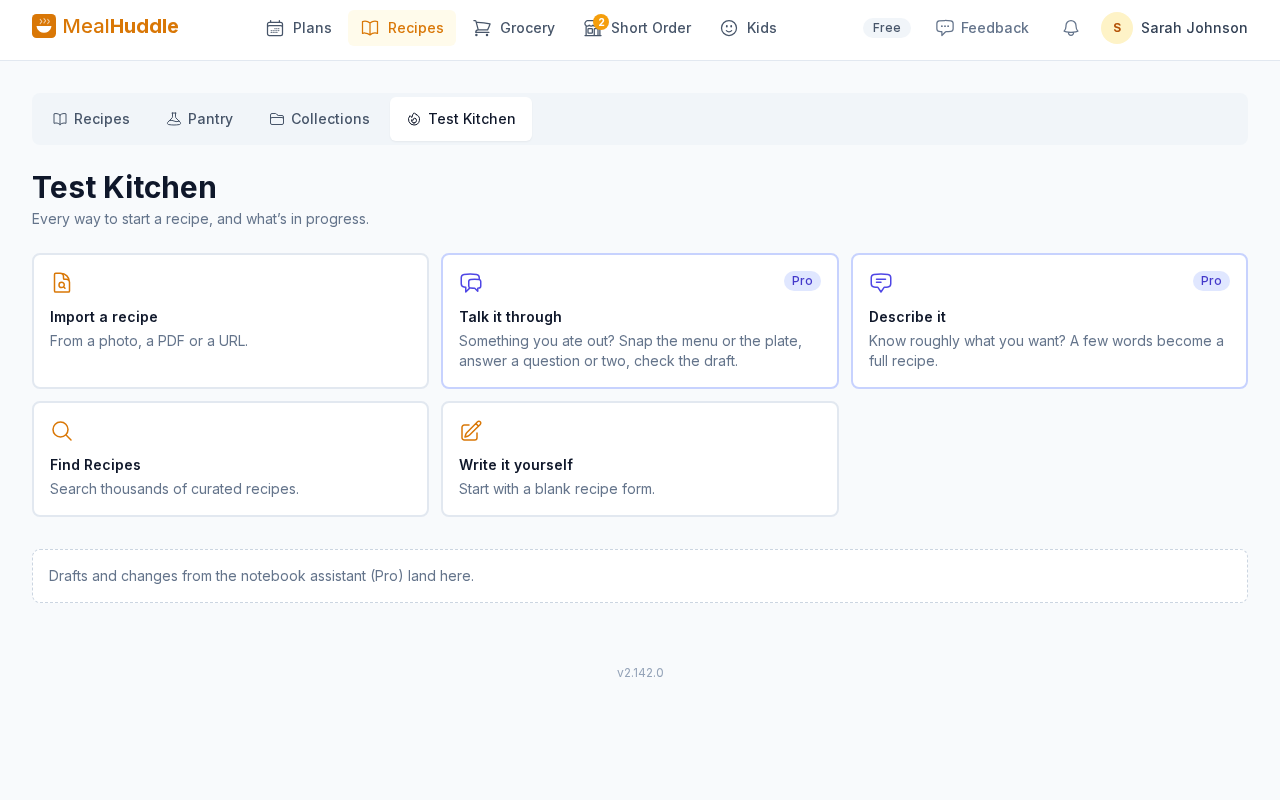
Recipes → any recipe → Notebook, and the Test Kitchen tab on Recipes
How it works
- 1
Write what you are going for
Open any recipe, tap Notebook, and write one line in your own words: crisp crust, open crumb, not too sweet. Everything else is measured against it.
- 2
Log how it came out
After each cook, add a tasting note and a photo of the crumb or the plate. Notes are stamped with the version you cooked, so the log reads like a lab book, not a chat.
- 3
Talk it through (Pro)
Tell it what you did and it writes that down. Ask why a step is there, what to try, or for a version that fits your oven, and it answers. Every change it proposes is a card you check or skip; nothing goes into the recipe until you save, and the recipe as it was is kept as a version.
- 4
Start from a photo
At a restaurant? In the Test Kitchen tab, tap Talk it through, snap the menu or the plate, answer a question or two, and check the first draft. It is saved with its own notebook.
Good to know
- The notebook, the goal, tasting notes and the log are free for everyone. The assistant, Talk it through and drafting from a photo are part of Pro.
- Tell MealHuddle about your kitchen under Settings → Household → Kitchen, and suggestions say "fill the steam tray", not "add ice cubes".
- A change you are trying shows as "Trying this time" on the recipe and in the cooking view, so it is in front of you at the oven.
- The assistant never claims to know a restaurant's actual recipe, keeps to safe food handling, and flags anything that lowers a cooking temperature for you to double-check.
Questions
- Does the assistant change my recipe on its own?
- No. Everything it proposes is a card. You use it or skip it, and only Save as new version writes anything to the recipe, keeping the previous state as a version you can go back to.
- What if I cook from someone else's recipe?
- The notebook works on any recipe in your library, imported or typed. Your notes and versions stay with your copy.
- Can other people in my household see my notebook?
- Yes. The notebook, its notes and its versions belong to the household, like the recipe. Unfinished Talk it through drafts show only in your own Test Kitchen until you save them.
- Is it free?
- The notebook and its log are free. Talking a recipe through and drafting one from a photo are part of MealHuddle Pro, and every household gets a 14-day free trial with no credit card.
Make the good one again.
Open any recipe and tap Notebook, or start something new from the Test Kitchen tab.